Where is the “Sign in” box in my Zune software?

I have had the Zune Software installed for a long time now and I’m pretty happy with it as a music player (used it before I got my Windows Phone 7). Sometime ago I saw some screenshots where I saw a little “Sign in” link in the top of the Zune Software, which I had never seen in my version of it.
I tried different things like reinstalling etc., but it didn’t work. Even though it were pretty annoying to me that I didn’t have that, I forgot about this little issue until today.

[more]

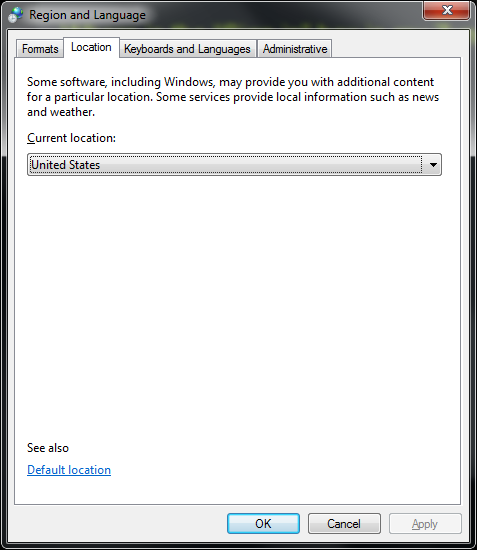
I talked with a guy over twitter, who asked me to try and change my Location to US instead of Denmark. I did, and bang! it now works and I can browse for Windows Phone 7 apps etc. Pretty cool Smile

So go to the Control Panel and find “Region and Language”. You should see a window like this:
image

After you changed it, open Zune again and it should work.

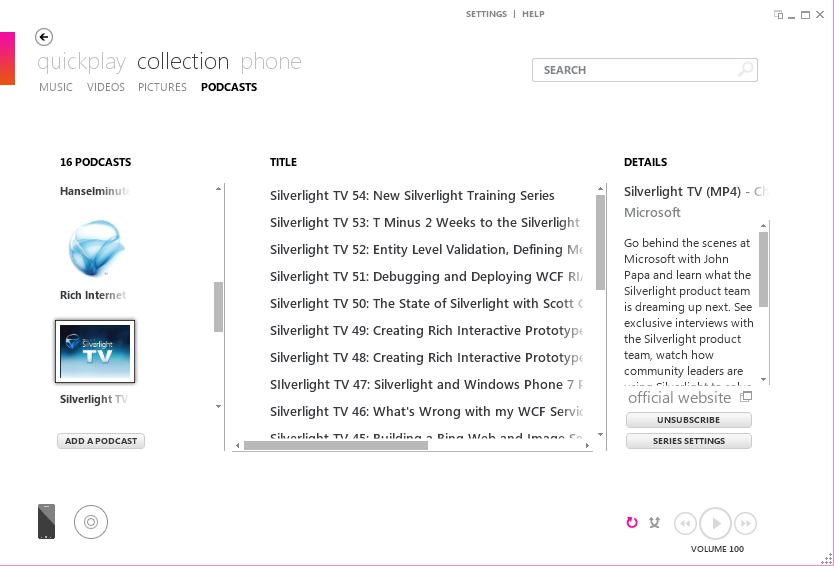
Before my Zune looked like this.
image

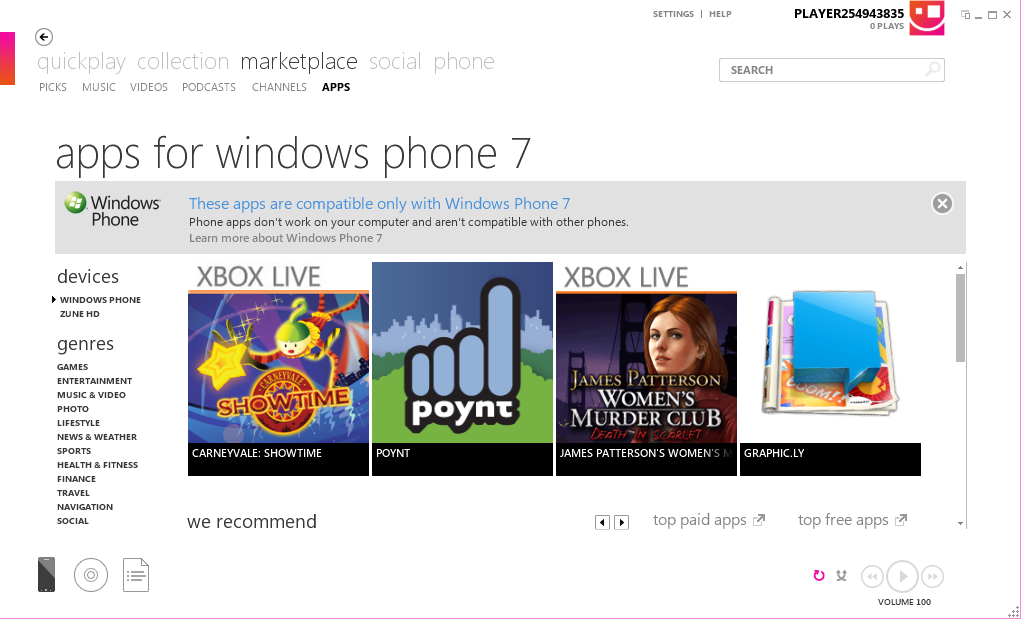
Now, after changing my Location, it looks like this. I can login and have access to the Marketplace. Many of the Zune services isn’t available in my country so I can’t buy anything, but still I can browse the Marketplace which is very useful for me these days.

image

Microsoft julekalender låge #14

clip_image0027

Så blev det min tur til at hoste Microsofts julekalender Smile
I dag skal der kodes lidt Silverlight, men inden vi når til selve opgaven, så lad os da se på hvilken fin præmie der er på højkant.

[more]

OBS: Vinderen af denne låge står I bunden.

Præmie

ProMini Wireless Keyboard with Trackpad

Ja, hvem ville ikke gerne eje sådan en fætter. Med sådan en her er mulighederne jo nærmest uendelige.

Opgave

I dagens opgave skal der laves Silverlight. Der skal laves et TreeView hvor man kan sortere elementerne via drag’n’drop (hint: TreeViewDragDropTarget).
Drag’n’drop funktionalliteten skal kunne slås til/fra via en checkbox. Dvs. er der hak i checkboksen, så fungerer drag’n’drop og er der ikke hak fungerer det ikke.

image

Deadline

Opgaven skal sendes i zip format til mig på mads (abelsna) laumania.net senest onsdag d. 15.12.2010 kl 12:00

Vinder

Vinderen af konkurrencen er nu fundet og det blev:

Jacob Bundgaard

Løsning kan downloades her

Stort tillykke her fra og tak til alle der deltog I konkurrencen.

RambukGames announcing a Windows Phone 7 game–plan bee

Yesterday we – RambukGames – announced a little Windows Phone 7 game, plan bee, which we have been working on for some time now.

This is what we have been talking about on twitter for the last couple of weeks!

[more]

‘plan bee’ is a casual arcade game for Windows Phone 7 designed to be playable and fun, even when you only got a few minutes to spare.

You take control of a bee, whose mission is to pollinate flowers. This becomes more of a challenge when spiders start attacking you while trying to land safely on flowers to avoid losing precious pollen.

Read the official announcement here and see more screenshots:
http://www.rambukgames.com/post/Announcing-WP7-Game-plan-bee.aspx

– Enjoy!