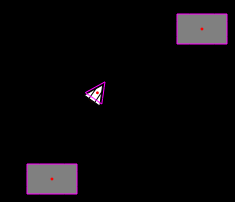
I’m playing around with the Farseer Physics Engine these days and needed to draw the “collision boundaries”. These are called Geom (Geometries) in Farseer language and these are made up by Vertices.
Cameron Albert have already made code to do this and I have already used it in my Farseer Physics Simple Samples so that were an easy one.
Then I ran into some problems/confusion with the “position” of elements. Basically it was due to that Farseer’s position is at the center of an element, whereas Silverlight’s version of position is at the top left corner. This is actually not that confusing as it is written here, but it can quickly become pretty confusing, at least I think :)
[more]
So, I extended Cameron’s code from above with the following:
 //Draw center of bodies
foreach (Body body in physicsSimulator.BodyList)
{
 Ellipse centerEllipse = new Ellipse();
 centerEllipse.Width = 3;
 centerEllipse.Height = 3;
 centerEllipse.Fill = new SolidColorBrush(Colors.Red);

 Canvas.SetLeft(centerEllipse, body.Position.X - centerEllipse.Width / 2);
 Canvas.SetTop(centerEllipse, body.Position.Y - centerEllipse.Height / 2);

 debugCanvas.Children.Add(centerEllipse);
}
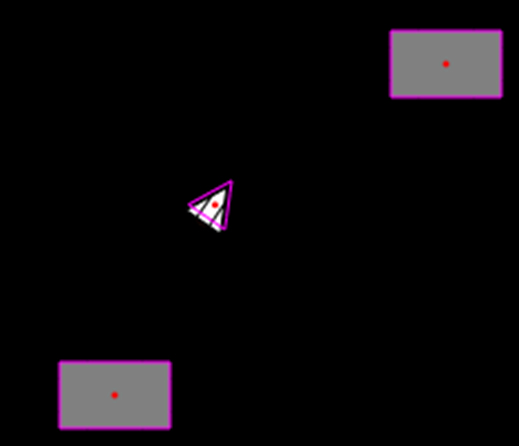
It’s really very simple, but it helps you see where your Farseer center point/position is. Here is a screenshot showing it in action. The purple lines are vertices and the red dots are the center points.
Here is the hole method. The layout of it is really bad here at my blog, but it should be ok to copy/paste from here and into VS :)
public static void DrawVertices(Canvas debugCanvas, PhysicsSimulator physicsSimulator)
        {
            debugCanvas.Children.Clear();

            //Draw vertices
            int verticeCount = 0;
            for (int i = 0; i < physicsSimulator.GeomList.Count; i++)
            {
                verticeCount = physicsSimulator.GeomList[i].LocalVertices.Count;
                for (int j = 0; j < verticeCount; j++)
                {
                    Line line = new Line();
                    line.Fill = new SolidColorBrush(Colors.Transparent);
                    line.Stroke = new SolidColorBrush(Colors.Magenta);
                    line.StrokeThickness = 1;
                    if (j < verticeCount - 1)
                    {
                        line.X1 = physicsSimulator.GeomList[i].WorldVertices[j].X;
                        line.Y1 = physicsSimulator.GeomList[i].WorldVertices[j].Y;
                        line.X2 = physicsSimulator.GeomList[i].WorldVertices[j + 1].X;
                        line.Y2 = physicsSimulator.GeomList[i].WorldVertices[j + 1].Y;
                    }
                    else
                    {
                        line.X1 = physicsSimulator.GeomList[i].WorldVertices[j].X;
                        line.Y1 = physicsSimulator.GeomList[i].WorldVertices[j].Y;
                        line.X2 = physicsSimulator.GeomList[i].WorldVertices[0].X;
                        line.Y2 = physicsSimulator.GeomList[i].WorldVertices[0].Y;
                    }
                    debugCanvas.Children.Add(line);
                }
            }

            //Draw center of bodies
            foreach (Body body in physicsSimulator.BodyList)
            {
                Ellipse centerEllipse = new Ellipse();
                centerEllipse.Width = 3;
                centerEllipse.Height = 3;
                centerEllipse.Fill = new SolidColorBrush(Colors.Red);

                Canvas.SetLeft(centerEllipse, body.Position.X - centerEllipse.Width / 2);
                Canvas.SetTop(centerEllipse, body.Position.Y - centerEllipse.Height / 2);

                debugCanvas.Children.Add(centerEllipse);
            }
        }


 I know this could be old news to a lot out there, but I just discovered this feature here the other day and it’s actually pretty smart. Windows Live Writer has a feature called “Auto Linking”, which is found in Tools>Options>Auto Linking.